@shubhamaggarw it’s working fine without any problems, You can have a look below
You could have either misspelled your username or codechef server might have been down at that time.

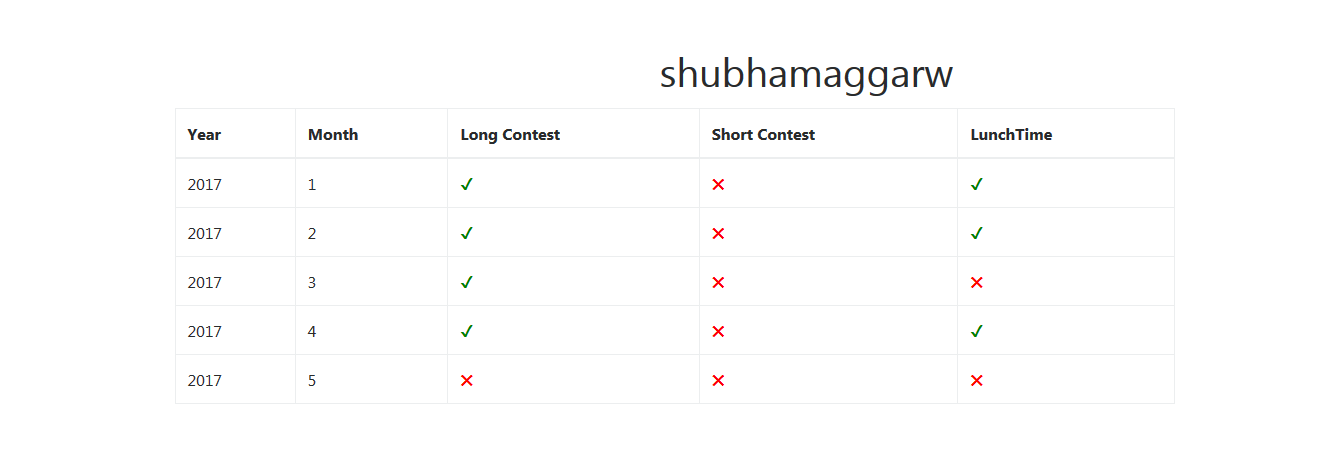
@shubhamaggarw it’s working fine without any problems, You can have a look below
You could have either misspelled your username or codechef server might have been down at that time.
I think there’s a bug-
Even if the username field is empty it is showing results. Good work BTW
really nice work dude!
Hey! Good work. I want to know which hosting service you are using and the host plan.
Why not create an Android app for this, add some more cool features too in that 
Awesome work BTW
Awesome Tool.
@shaeyas your website(tool) has a page-view counter which doesn’t count unique page views ( i think you know this ) .
it would be better if you get a unique page-view counter up and running .
Great work BTW!
Hey @shraeyas , change that MAY Lunch Time thing, since it will not be considered towards 100% attendance.
It’s not really a fix but I just tried to make it more bearable 
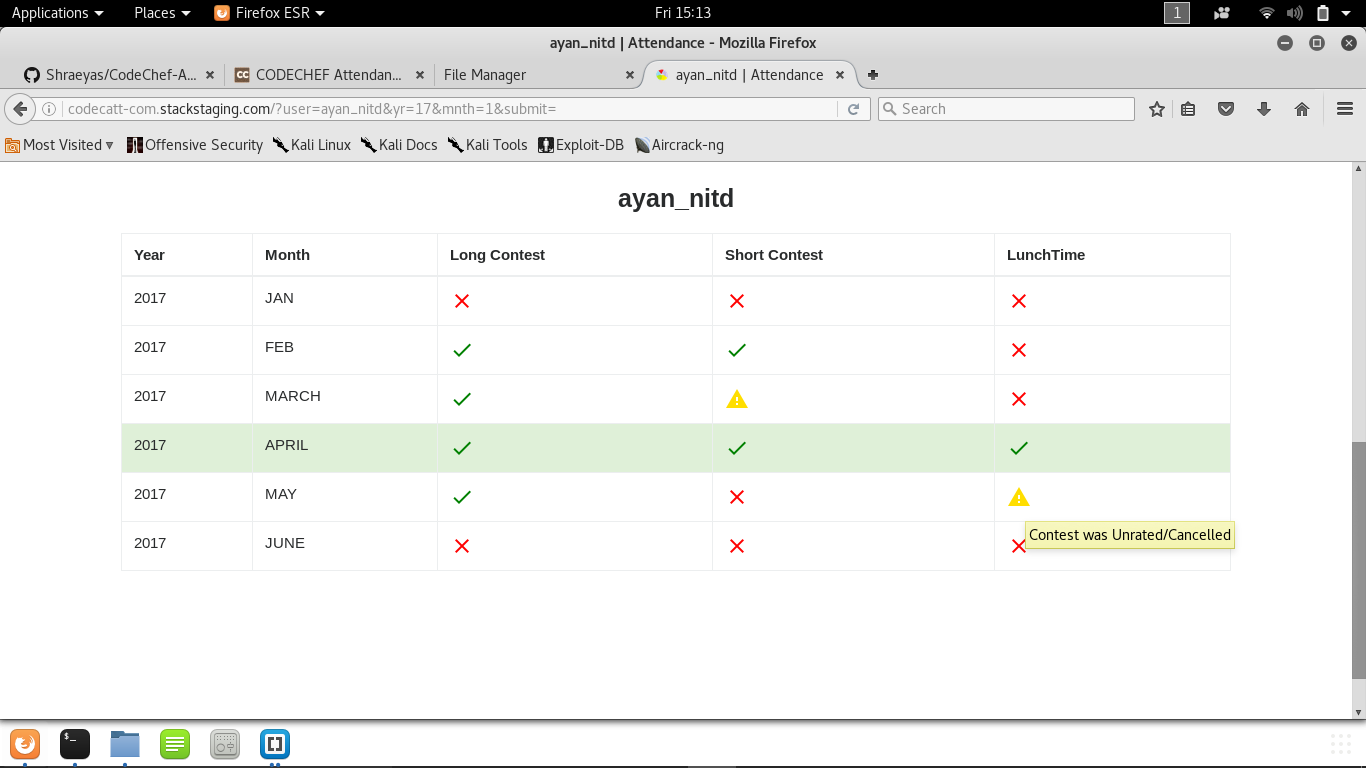
It will now show a warning sign in case of any miscellaneous contests (unrated or cancelled).
If I come across any better solution to this I will add it later.
And yes thanks for your suggestion
Plz upvote me , I want to ask some doubts for which I need some karma ,
Thank you guys.
Username is not being validated.
Even if we enter wrong username, it shows attendance instead of showing the error.
Hey @shraeyas
Nice Tool.
I guess u missed one thing. Problem setting panel is also deemed to be participating in the contest, for the purpose of attendence, as i know.
For example, @vijju123 was editorialist for APRIL18, but he is shown to have not participated in APRIL18. (Wasnt stalking. Just thought of this possibility and searched for the Master Chef Vijju )
A great idea and implementation!
For the past couple of days I have been trying to check my attendance but it shows invalid username. Have tried with a bunch of different usernames and all the same error message.
The only confusion I have presently is whether I should remove that CodeChef Logo or not(Cause it’s unofficial :p).
I will remove it if they ask me to.
Regarding logo, send them a mail. It would be safe that you “informed them”, instead of using it until they retaliate. Cause logos and stuff…its usually best to take permission to avoid unnecessary hassle.
And lmao, i knew you will bring something like this up when i saw you thanking for idea.
Great work:)
Absolutely. I just wrote the code for the basic site, didn’t even think much about additional features.
I will definitely add this feature in the near future.
Thank You
Its showing i didnt attend march cook-off. But i did attend it (it was declared unrated later)
It actually tracks the changes in ratings and then tell us if someone participated or not.
But I will try finding a fix on that, but till then kindly bear with me (need to study for exams too ).
Thanks for pointing that out.
I guessed that it would be checking changes in ratings, as its makes it very easy to code .