Describe your issue
So, this is the exact problem:
Table - HTML
Let us now create two more tables which will display the types of rooms available.
We will be creating a 2*3 table to show the type of room, options, price.
Task
- now create a 2 row and 3 column table and it’ll have a class name ‘feature’ .
- first row will have 3 th ‘type’, ‘option’ and ‘price’.
- second row will have 3 column.
- first column of second row will have a class name of ‘imgtype’
- then add an image tag inside td use image src (I didn’t copy-paste the img link here because it didn’t let me) and alt as ‘hotel image’ then change the line using br tag, also add b with text ‘Bussiness’.
- add an inline style to the image (style=“width: 180px;”).
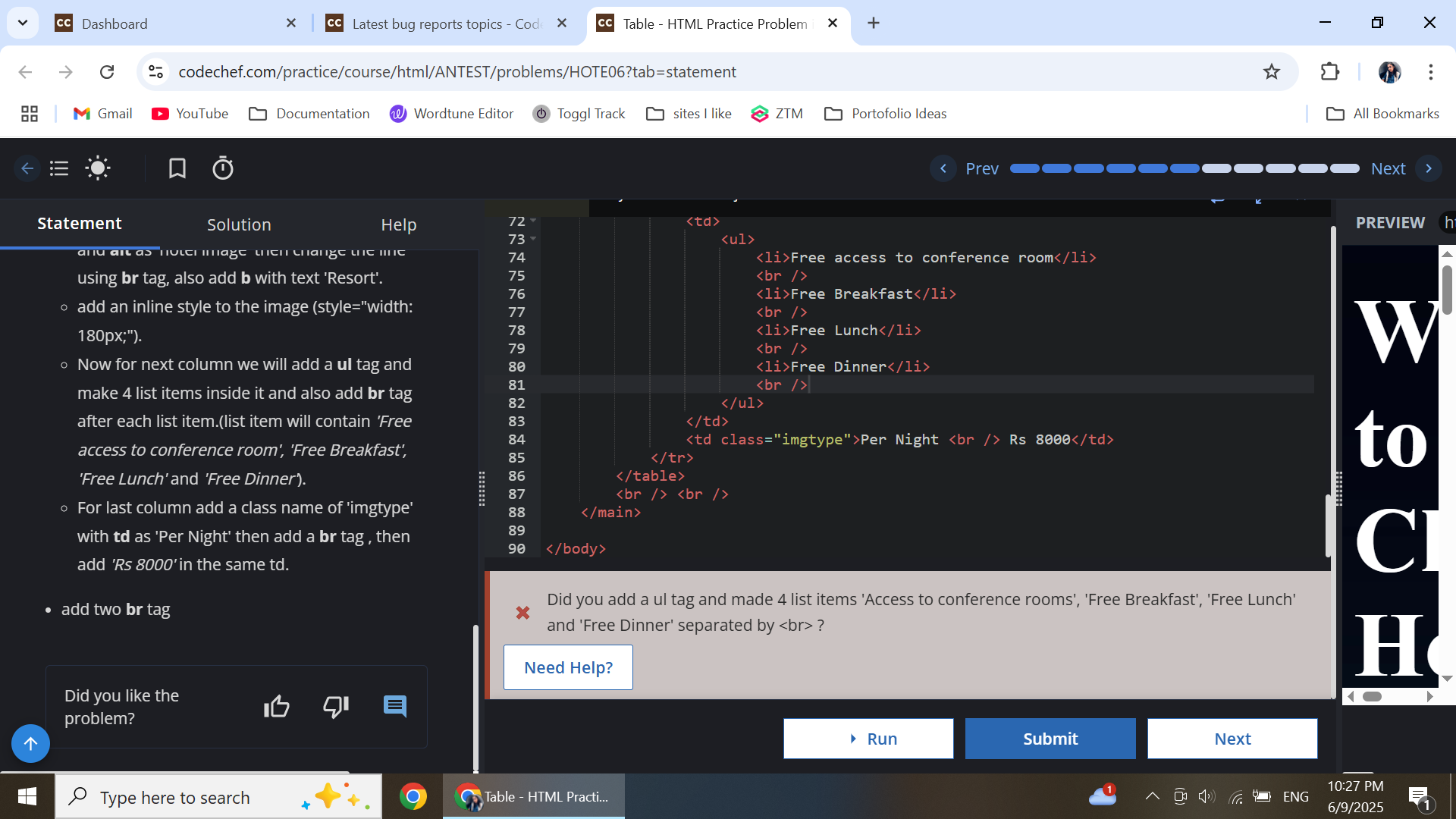
- Now for next column we will add a ul tag and make 4 list items inside it and also add br tag after each list item.(list item will contain ‘Free access to conference room’, ‘Free Breakfast’, ‘Free Lunch’ and ‘Free Dinner’).
- For last column add a class name of ‘imgtype’ with td as ‘Per Night’ then add a br tag , then add ‘Rs 10000’ in the same td.
- add two br tag outside the table.
- Now again, create a 2 row and 3 column table, with the same class name ‘feature’.
- first row will have 3 th ‘type’, ‘option’ and ‘price’.
- second row will have 3 column.
- first column of second row will have a class name of ‘imgtype’
- then add an image tag inside td use image src (I didn’t copy-paste the img link here because it didn’t let me) and alt as ‘hotel image’ then change the line using br tag, also add b with text ‘Resort’.
- add an inline style to the image (style=“width: 180px;”).
- Now for next column we will add a ul tag and make 4 list items inside it and also add br tag after each list item.(list item will contain ‘Free access to conference room’, ‘Free Breakfast’, ‘Free Lunch’ and ‘Free Dinner’).
- For last column add a class name of ‘imgtype’ with td as ‘Per Night’ then add a br tag , then add ‘Rs 8000’ in the same td.
- add two br tag
This is my code, following exactly what the problem requested:
    <table class="feature">
        <tr>
            <th>type</th>
            <th>option</th>
            <th>price</th>
        </tr>
        <tr>
            <td class="imgtype"><(I didn't copy-paste the img link here because it didn't let me) alt="hotel image" style="width: 180px;" /> <br /> <b>Business</b></td>
            <td>
                <ul>
                    <li>Free access to conference room</li>
                    <br />
                    <li>Free Breakfast</li>
                    <br />
                    <li>Free Lunch</li>
                    <br />
                    <li>Free Dinner</li>
                    <br />

                </ul>
            </td>
            <td class="imgtype">Per Night <br /> Rs 10000</td>
        </tr>
    </table>
    <br /> <br />

    <table class="feature">
        <tr>
            <th>type</th>
            <th>option</th>
            <th>price</th>
        </tr>
        <tr>
            <td class="imgtype"><(I didn't copy-paste the img link here because it didn't let me) alt="hotel image" style="width: 180px;" /> <br /> <b>Resort</b></td>
            <td>
                <ul>
                    <li>Free access to conference room</li>
                    <br />
                    <li>Free Breakfast</li>
                    <br />
                    <li>Free Lunch</li>
                    <br />
                    <li>Free Dinner</li>
                    <br />
                </ul>
            </td>
            <td class="imgtype">Per Night <br /> Rs 8000</td>
        </tr>
    </table>
    <br /> <br />
However, when I submitted it, it kept asking me if I did the steps right so I went and read again and kept rereading my code, then I checked the solution and I was surptised to see the solution didn’t match the problem statement at all. This is what the solution was: