I’ve recently updated my profile status from Student to Professional. After making this change, I was prompted to enter my organization name.
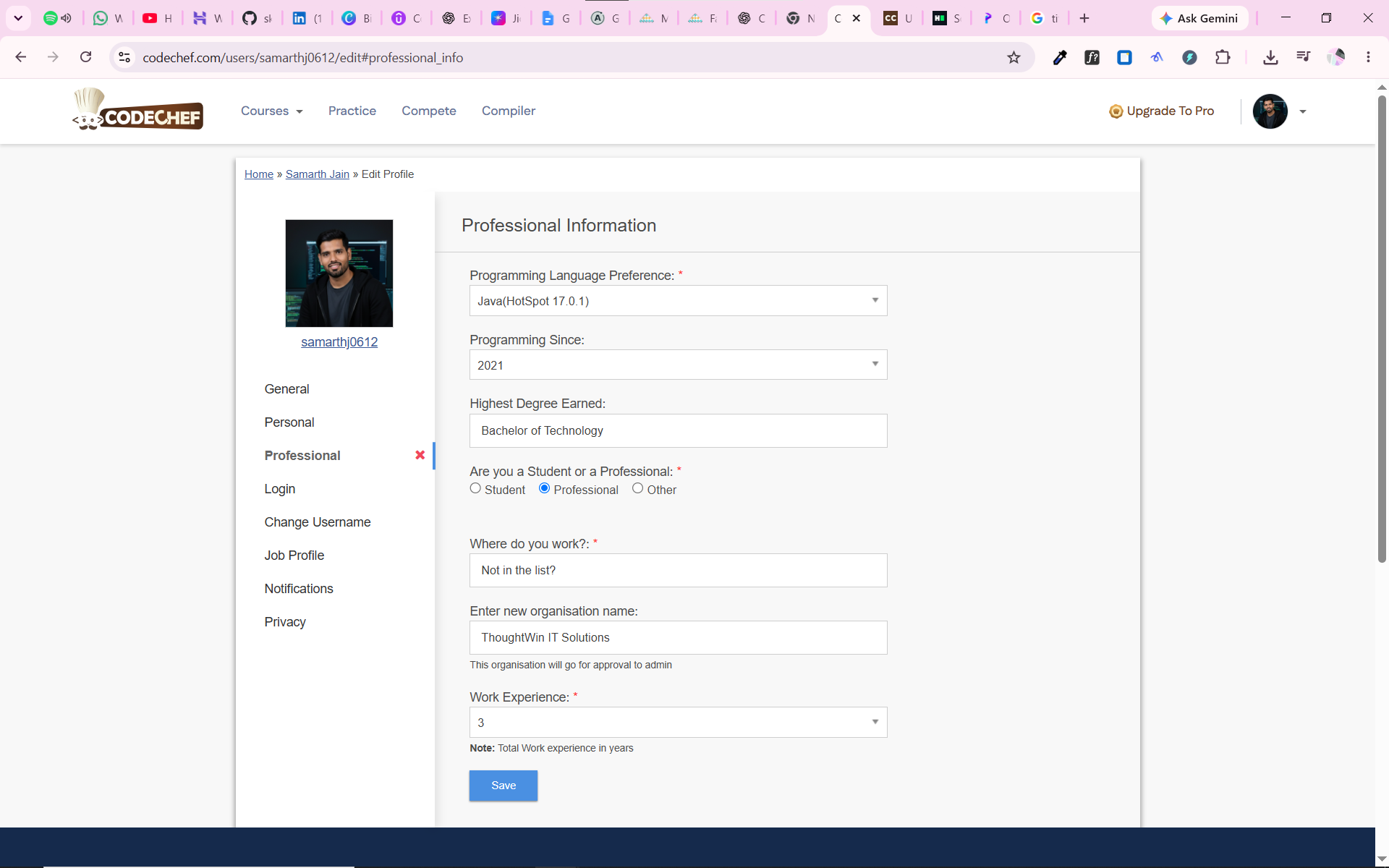
Since my company wasn’t available in the listed organizations, I selected the “Not in list?” option, which displayed a new input field to enter the organization name manually. I filled in my company name, selected my years of experience, and clicked Save.
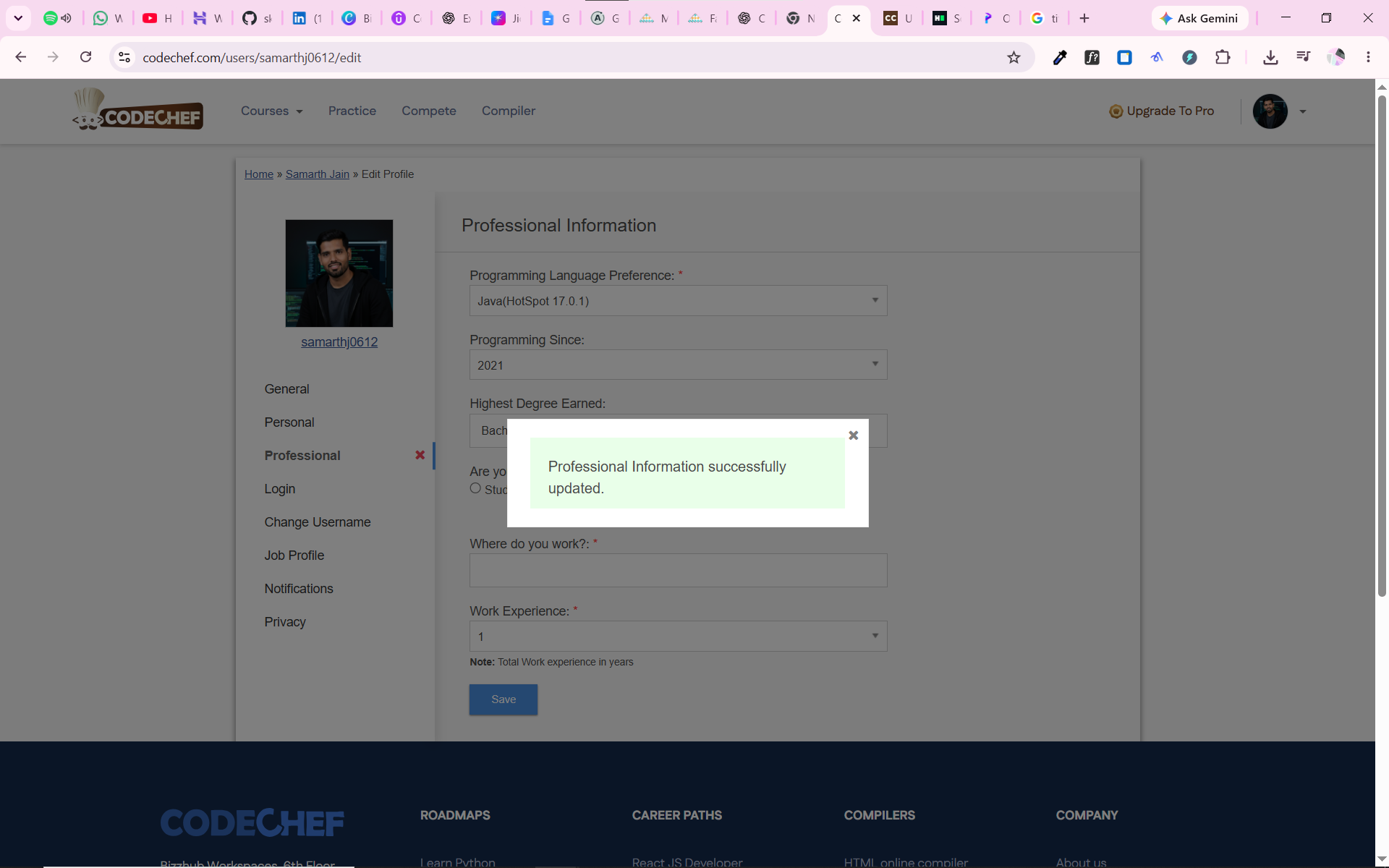
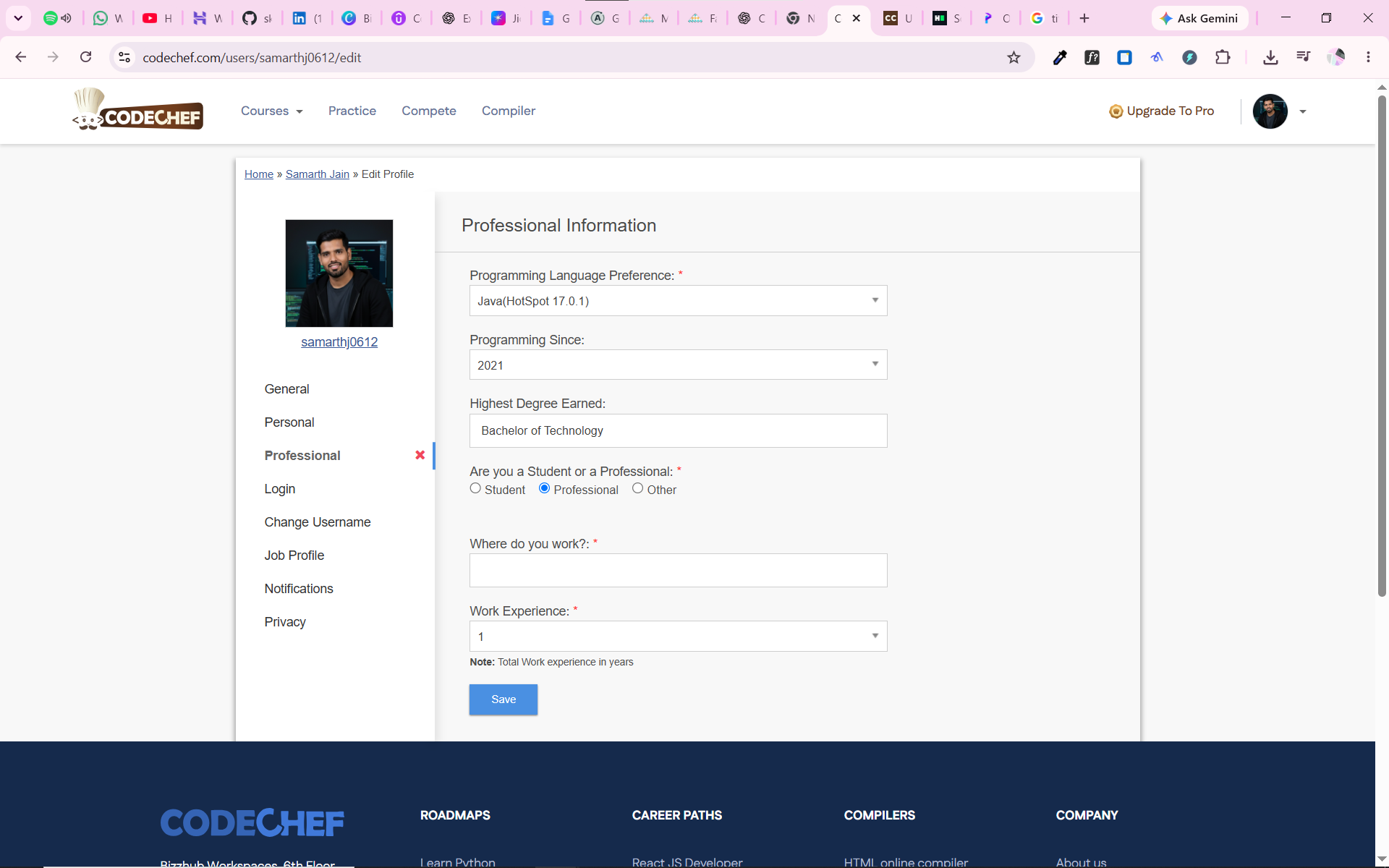
A confirmation popup appeared stating that my professional details had been updated successfully. However, upon checking my profile, I noticed that neither the organization name nor the years of experience had been saved.
Additionally, a red cross icon is appearing next to the Professional Summary tab.
Could you please look into this issue and help me resolve it?
I’m attaching screenshots for reference.